
Explore a lighter finish
Try the Bondi Breeze option in the app and review how a lighter concept sits against the property.
Built for UK resin driveway installers
Show a customer how a resin finish could look on their own driveway. Upload a site photo, trace the surface and create an AI concept—then add your scope and price to one branded proposal link.
Start without signing in. See Free and Solo allowances.
Make the finish easier to discuss
A small aggregate sample and a whole driveway give different impressions. Use the visualiser to discuss lighter, darker or warmer finishes in the context of the house, existing walls and proposed edging. Keep actual product samples alongside the AI concept when confirming the selection.
Try the Bondi Breeze option in the app and review how a lighter concept sits against the property.

Explore Blackheath for a contrasting visual direction, then check the real sample with the customer.
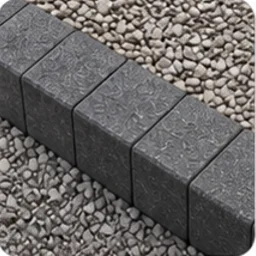
Show an optional charcoal paving edge, or choose no border. Record the agreed detail in the written scope.
These are options in the visualiser, not a guarantee of product colour, stock or manufacturer approval. AI concepts are illustrative and may alter details; review every result before sharing it.
From photo to priced proposal
What the customer receives
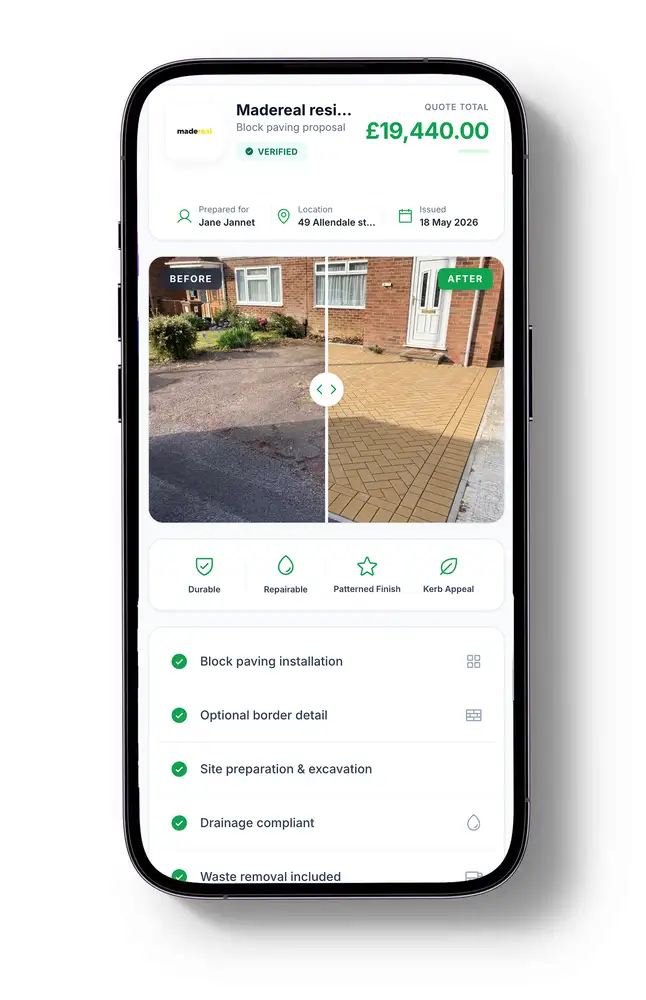
Keep your branding, the before-and-after comparison and itemised estimate together instead of sending disconnected images and prices.
Update the saved proposal from your workspace. The customer can revisit their existing link, with no account, app or PDF download.
See proposal opens in your project workspace. An open is not an acceptance—use it to inform a conversation, not assume a decision.
Yes. Guest access includes 15 AI visuals in total. A free account includes 15 AI visuals per month and up to three active projects. Solo is £29/month with 100 AI visuals and up to 500 saved projects. Each generated image uses one visual; that is not the same as one complete proposal. Compare the plans.
No. The AI result is a concept, not a colour-certified product photograph. Confirm the selected blend, border and finish using the supplier's samples and specification. Lighting, screens and AI interpretation can all change the appearance.
No. Tracing marks the image area to change. Use your site measurements for the estimate; a photo alone does not establish accurate dimensions or quantities.
Yes. You can explore different surface options on the same project photo. Review each image, and make the preparation and scope differences explicit in your estimate.
The quoting workflow is built for installers who supply the survey, specification and prices. Homeowners can use a concept to discuss ideas with their installer, but Driveway Visualiser does not install driveways or provide a construction quotation on their behalf.